Meet KeyCreator

The CAD direct modeling trailblazer made for any project where speed and flexibility are key

page-banner

Work smarter & faster

For CAD operators who work with lots of new ideas or lots of models from outside sources, KeyCreator can show you a whole new way to get more done faster.

Direct modeling radically uncomplicates how unplanned modifications are made. Never again say "I'll just spend a few hours to re-build it from scratch"

Especially for one-off builds like a facilities adaptation or other custom pieces, KeyCreator moves you from initial sketch to production-ready with unmatched speed and precision.

If your work means frequently handling models from multiple outside sources, KeyCreator was built to make your work easier. Work directly with model geometry from anywhere — no more unrecognized features.

Get back all the time you spend managing separate files for every part, assembly, and drawing. With KeyCreater, it all stays in one file as long as you prefer. (When a project gets overly complex, you can break it up.)

Edit with dimensions, then delete

3D edits with a dimension are fast and intuitive. But do you want to plan your whole model around it? KeyCreator gives you powerful dimension-driven editing then lets you move on with a click.
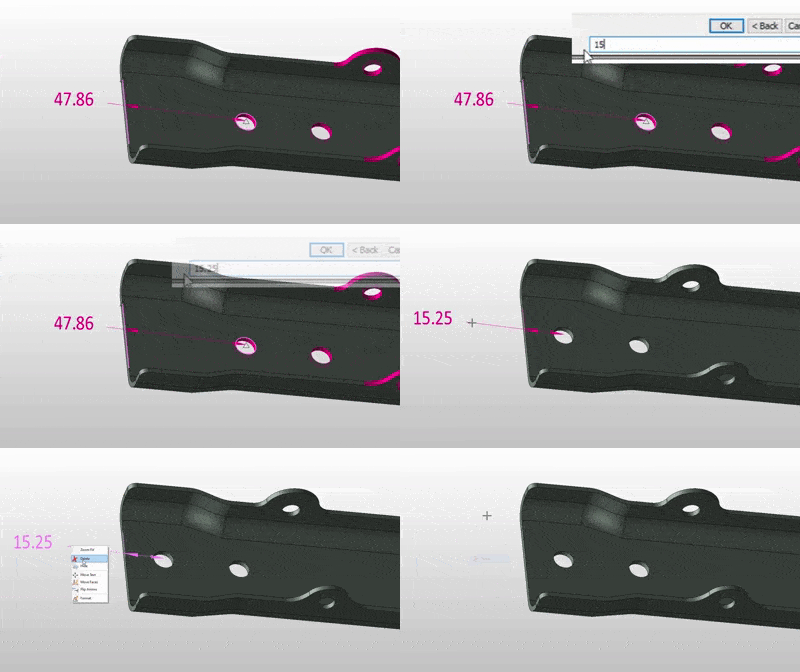
Animated GIF showing KeyCreator CAD dimensional edit capabilities as a part of overall direct modeling approach


Build fast using primitives & geometry

Unique to KeyCreator is its library of primitive solids that lets you build simple shapes with unequalled efficiency. Quickly snap positions, curves, and planes off existing models without worrying about unintended relationships. KeyCreator does 3D with freedom.
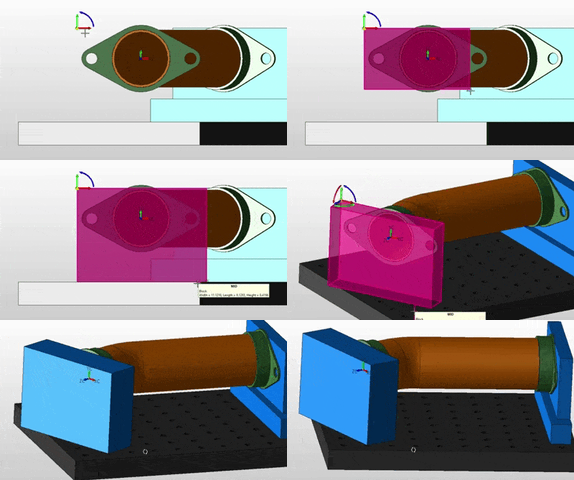
Animated GIF showing KeyCreator CAD's ability to generate primitive geometric forms to facilitate rapid creation of solids with direct modeling techniques


Dynamic modeling

Modifying models on-the-fly? Nothing will keep you flying high like being able to simply grab & drag faces or entities (or both!) with the DynaHandle. It's such a refreshingly simple method, you'll wonder how you ever worked without it.
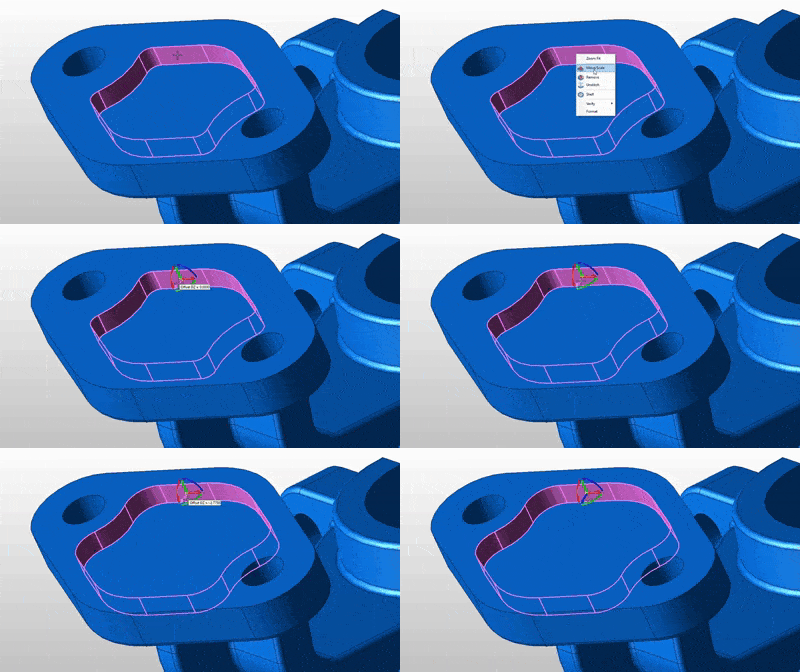
Animated GIF showing ability to dynamically edit lines, faces, and solids using direct modeling techniques in KeyCreator CAD by Kubotek Kosmos


Your work, your workflow

Don't let constraints meant to serve someone else's business model dictate how you get business done.

Customs & One-offs

When your job is to create something you'll never make again, the efficiency from history-based functions of parametric modeling is totally wasted. Fill that role with KeyCreator

Just a little tweak...

Many CAD users in manufacturing find that what they need to actually make a part or component hasn't been fully accounted for in design. With KeyCreator, it's a quick fix

Fix corrupted files

If you get forced to re-build models after encountering problems with outside / outdated CAD files, KeyCreator's ability to open, modify, and convert back to a solid is a game-changer

Pioneer of direct CAD modeling

For more than twenty years, KeyCreator has been the tool for CAD users who demand flexibility, speed, and versatility to figure out new solutions to engineering challenges (and production deadlines!).

New day, new files

We're here for the segment of CAD users whose work involves a constant stream of new and different challenges. This is the group whose processes and preferences we've been responding to since the beginning, in ways the Big Boys simply cannot.

Refreshingly simple

Our users love our software! From top-tier ratings on review sites like G2 and Capterra to the decades of loyalty we are blessed with from our user base, you can see how KeyCreator solves problems in a way that (dare we say it) can actually be fun.

Features & Highlights

KeyCreator provides traditional 2D CAD drawing tools for creating and editing engineering drawings. A complete set of dimensions, details, and symbols support mechanical drawing standards from around the world.

Create associative drawings with views automatically generated from 3D models, as well as creation and editing of traditional "2D" CAD drawings. 

Generate standard mechanical elements, structural elements, and fasteners based on industry standard sizes, fits, and functions. (Not available in Limited)

Find intersecting areas on assembled models and graphically display those intersections. (Not available in Limited)

Perform a draft angle or mold extraction analysis on a model based on a defined draw direction. (Not available in Limited)

Ability to animate assemblies and perform motion studies with collision detection. (Prime Premium/Pro Max only)

Generate surfaces tangent to or at a draft angle from existing surfaces, or projected from a set of curves. (Not available in Limited)

KeyCreator Product Comparison

CAD CAPABILITIES Drafting Prime Pro
Comprehensive Drafting

A complete set of drafting capabilities, including associative drawings with views automatically generated from 3D models, and ability to create/edit traditional 2D CAD drawings.

Import CAD (options)

Read drawings and models from numerous CAD formats, depending on product package purchased.

Visualize, Verify & Repair

KeyCreator CAD includes unrivaled capability to display, interrogate, and fix CAD data from anywhere. This includes finding interferences, volume, center of mass, etc. of bodies and assemblies, areas and lengths of set of curves, and distance measurements across positions and objects.

Direct 3D Modeling

Precisely design complex, organic shapes using free-form surfaces and wireframe curves. Quickly build solids using primitives, sketch/extrude, standard features library, topology edits, and Boolean operations.

Special User Functions
  • Tree-style organization of: Features, Materials, DDE, Verify, File Explorer
  • View windows: magnify, camera, clip, etc.
  • BOM, hypertext, tagging and lighting functions
  • Numerous supplemental curve creation and transform/mating functions
Toolpath Generation

The KeyCreator Pro Max package includes 2-axis through 3-axis milling and wire EDM capabilities.

UI FEATURES
Custom Macros

Record or write time-saving macro programs in KeyCreator's proprietary text-based KXL language.

Office-style Menus

Command access is provided in pop-up menus based around selection context and a standard ribbon menu with large icons.

CADKEY-Style Menus

Functions are selected from pull-down text menus or icon palettes grouped in the style introduced in CADKEY for Windows (1995). Additional option for function-key driven menus (DOS-era).

Extended Customization Support
  • Save/load multiple custom toolbars, keyboard shortcuts, and workspace layouts
  • Run-time load custom and 3rd-party CDE applications
INSTALLATION & LICENSING
Windows-Based

The latest versions of KeyCreator products are supported on Windows 10 through 11.

KeyCreator software requires an "on-premises" installation. The network Floating license option allows access to a shared license pool and optional control from remote computers.

Permanent License Option

The higher-priced permanent license alternative to annual leasing means the right to use a KeyCreator purchase never expires. Typically permanent license customers renew annual maintenance for support services and periodic software updates.

Request More Info on KeyCreator