Focus: CAD for Drafting

KeyCreator has all the mechanical drawing features you expect — and some you can't find anywhere else!

page-banner

Best-In-Class Drafting Features

Whether you work with drawings every day or only need to access them occasionally, KeyCreator makes your work easier. Don't settle for work-arounds or slow-downs: get to the next level with KeyCreator

Read all CAD Drawings

KeyCreator offers the unique ability to read drawings from all the major CAD drafting formats. Be ready for whatever CAD drawings come your way — no need to maintain multiple applications.

Quick Draw from 3D

KeyCreator is also a champ at reading parts and assemblies from all major 3D CAD. Jump start your drawings by generating hidden line views automatically, or extract precise curves from any 3D data

Stay In Control

If you prefer the traditional CAD drawing style that gives you full control over every entity — no solids required — you'll feel right at home with the advanced tools in KeyCreator

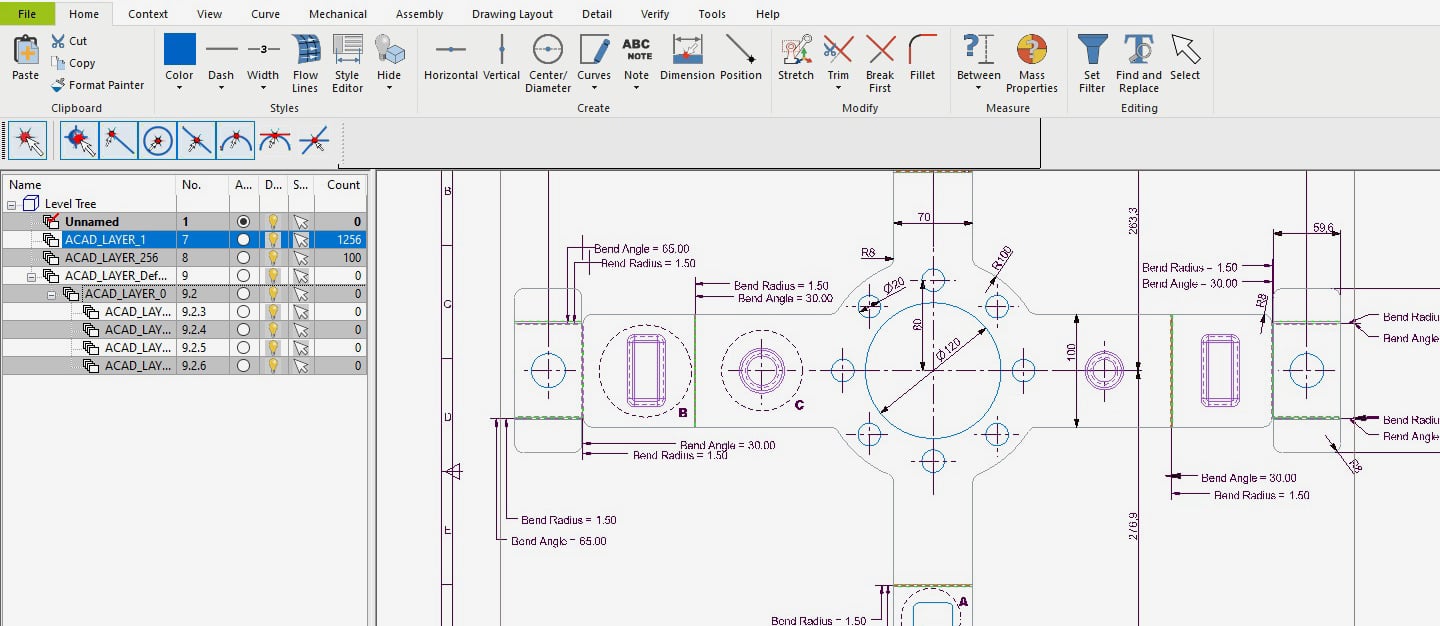
Screen capture showing user interface of KeyCreator Drafting software with a drawing (2D CAD) visible in the viewport
FORMAT FLEXIBILITY

Read & Revise Most CAD Drawings

 If handling different drawing formats from different sources is a regular part of your business day, KeyCreator has you covered! 
Read

Read all major drawing formats, including:
• CADKEY    • CATIA V5 & V4
• DWG/DXF    • PTC Creo
• Siemens NX    • SolidWorks
• Solid Edge

Revise

Full control to redline, revise drawing views, revision blocks, and add dimensions without the original CAD software. Stop paying for extra seats or hanging on to legacy workstations

Combine

It's no problem to access drawings from one format to add to another, whether it's an older file or to borrow elements from a different project. KeyCreator is all about solving problems 

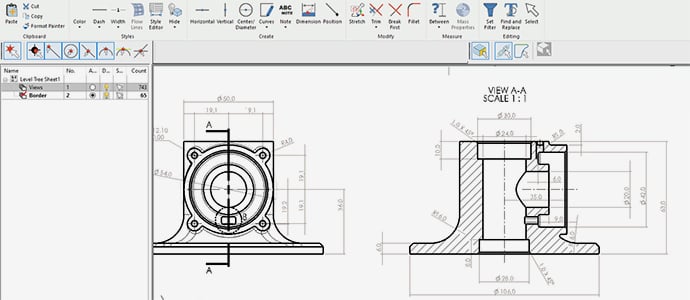
KeyCreator Drafting user interface showing process of converting 3D CAD model to 2D drawing
DRAWINGS FROM 3D

Get More From Models

KeyCreator instantly generates associative drawing views from solids, including sections, details, auxiliary & shaded isometric views.

But it doesn't stop there....

Pull the Curves You Need

Copy edges from 3D bodies as entities to use for drawings. Slice 3D data with user-defined planes to extract precise intersection curves and profiles

Convert to Full 2D

Gain full control over editing and visual characteristics of drawing views by generating hidden line views from 3D objects as traditional 2D entities. Optionally, "flatten" the associative drawings

Attention to Details

The easy-to-learn, professional-grade detailing commands provide all style settings in a clean dialog UI. No more memorizing complex variables and settings

Manage Complexity: Levels & More

For users who put the highest professionalism into their drawings, the job can't get done right without the right tools. Managing that process (referencing external files, labeling objects, etc.) calls for user-friendly, flexible features designed for the task
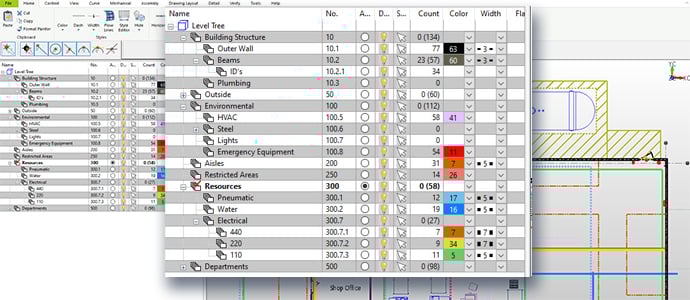
Photo illustration highlighting the Level Tree content organization feature of KeyCreator Drafting 2D CAD software by Kubotek Kosmos

Unlimited Level Tree

Layers are a critical strategy for organizing complex drawings, and the power and simplicity delivered by the KeyCreator Level Tree is unrivaled in CAD

Mechanical Components

You're never more than a click away from a set of standard structural shapes, fasteners/holes, and schematic symbols. Even build a custom library for repeat projects (optionally, from 3D models)

Time x Time

An easy-to-learn interface for tasks you do over and over again in traditional drafting: positioning, entity selection, filtering, property management, and others

KeyCreator Drafting: A Best-In-Class Solution

KeyCreator provides traditional 2D CAD drawing tools for creating and editing engineering drawings. A complete set of dimensions, details, and symbols support mechanical drawing standards from around the world.

Generate standard mechanical elements, structural elements, and fasteners based on industry standard sizes, fits, and functions. (Not available in Limited)

Find intersecting areas on assembled models and graphically display those intersections. (Not available in Limited)

Perform a draft angle or mold extraction analysis on a model based on a defined draw direction. (Not available in Limited)