What's New in the 8.0 Release

Kubotek Kosmos MBD File Utilities: Validate, Revision, View, and Convert

page-banner

With the 8.0 release of our MBD File Utilities, Kubotek Kosmos continues its commitment to help independent shops advance their model-based workflow, meet specialized industry standards, and precisely assess the geometry and associated data of CAD models from any source.

This page provides an overview of the shared enhancements; users can find complete details in the Help section of our website. Details on additions to individual products since the last major release are described as well.

SUPPORT FOR SAVED VIEWS

Incorporating saved views from the authoring CAD supports the digital thread / MBD processes

IMPROVED PMI ANNOTATION DISPLAY

Maintaining screen-facing notes makes it easier for users to account for PMI

CONTROLLED UNCLASSIFIED INFORMATION (CUI) SETTINGS

Facilitating work with CUI enables shops to compete for specialized defense jobs

3D PDF, STEP XML, EXPANDED TRANSLATOR SUPPORT

Supporting shops' ability to work with the widest range of file fomats

Saved views as an aspect of MBD

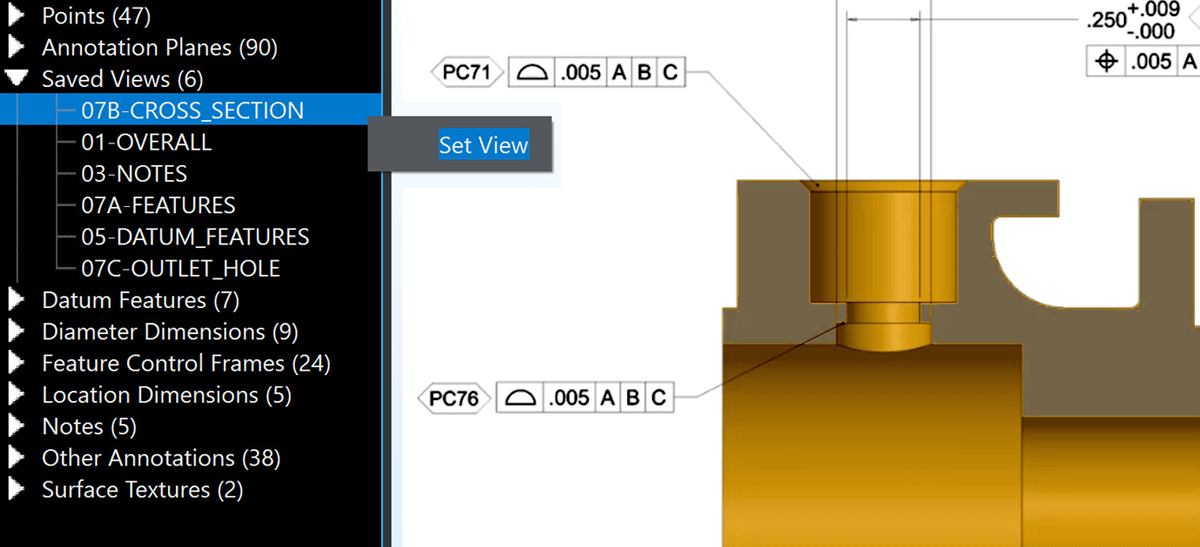
CAD files developed for a model-based workflow are often sent to independent manufacturers incorporating saved 3D orientations, usually associated with a set of visible annotations. In some cases, these views also have an active cutting plane which sections the part for improved visibility of interior features.

Inset from user interface of Kubotek Kosmos MBD Utilities showing new saved section view feature incorporated into 8.0 release to further aid in adoption of model-based practices
ACCESS TO SAVED VIEWS FROM IMPORTED MODELS

For the 8.0 release all four products have added full support for these view cutting plane attributes. Enabling these saved views can fulfill the role of traditional drawings at the manufacturing stage but without breaking the digital thread.     (Model source: Action Engineering)
Better access to PMI annotations

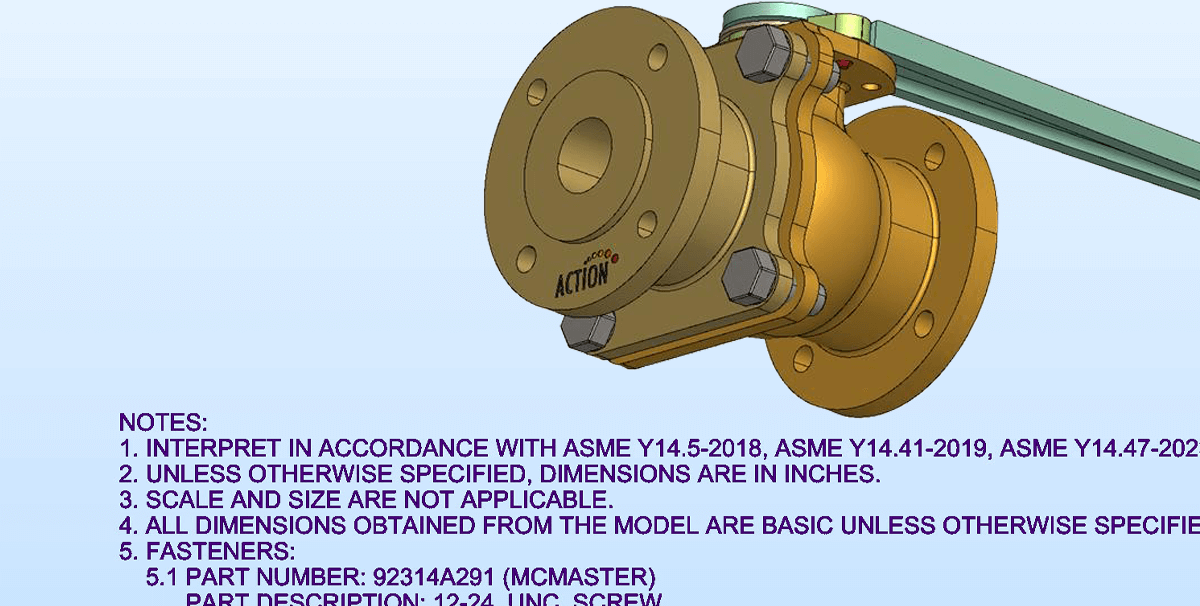
In addition to the dimensional data included in all CAD, models created for MBD also contain machine- and human-readable annotations as part of PMI. All four programs now support text attributes which direct the characters to remain always facing the display plane.

Inset from user interface of Kubotek Kosmos MBD File Utilities showing the Screen Facing Objects feature included in the 8.0 release, which correctly displays PMI Annotations to viewer regardless of model orientation.
IMPROVED ANNOTATION DISPLAY

The enhancements in the 8.0 release improves readability of notes and dimensions and provides a better match to how the data appears in its originating CAD software. Notes are kept screen-facing regardless of model orientation.     (Model source: Action Engineering)
Updated Translators in 8.0

  • Autodesk Fusion 2605.1.39
  • Autodesk Inventor 2026
  • Dassault Systemes (DS) CATIA V6/3DExperience 2026
  • DS SolidWorks 2026
  • ISO STEP AP242 Edition 4
  • PTC Creo 12.0
  • Siemens Digital Industries Software (SDIS) NX 22512
  • SDIS Parasolid V38
  • SDIS Solid Edge 2026

Validate 8.0 Updates

In addition to the saved cutting plane views and improvements to PMI annotation readability found across our family of MBD File Utilities in the 8.0 release, Validate has some enhancements unique to its interface and workflow.

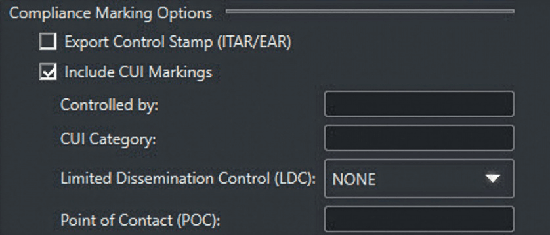
inset from user interface of Kubotek Kosmos Validate 8.0 release showing the options to include Controlled Unclassified Information (CUI) markings in the software's report

Controlled Unclassified Information (CUI)

 The 8.0 version of Kubotek Kosmos Validate software now provides options to insert CUI compliance marking text onto the program’s tamper-proof validation reports. The added features are in compliance with DOPSR 25-P-0275 published in December of 2024 
Greater options when preparing & generating reports

Options have been added to enable the user to generate a CAD file comparison report that most closely matches their specific needs. These include options for how to display elements of a derivative model that partially match the original file. If a user wishes to update certain options of what is included in the final report, this can now be done without the need to re-run the comparison. Users can find complete details in the Help section of our website.

View and Convert 8.0 Updates

Amomg the enhancements added to View and Convert since the 7.0 release is support for reading STEP XML 3D assemblies structures, universally unique identifiers (UUIDs), and assembly-level product manufacturing information (PMI) data. This is a relatively new standard CAD file format (Part 28 of the STEP ISO 10303 standard).

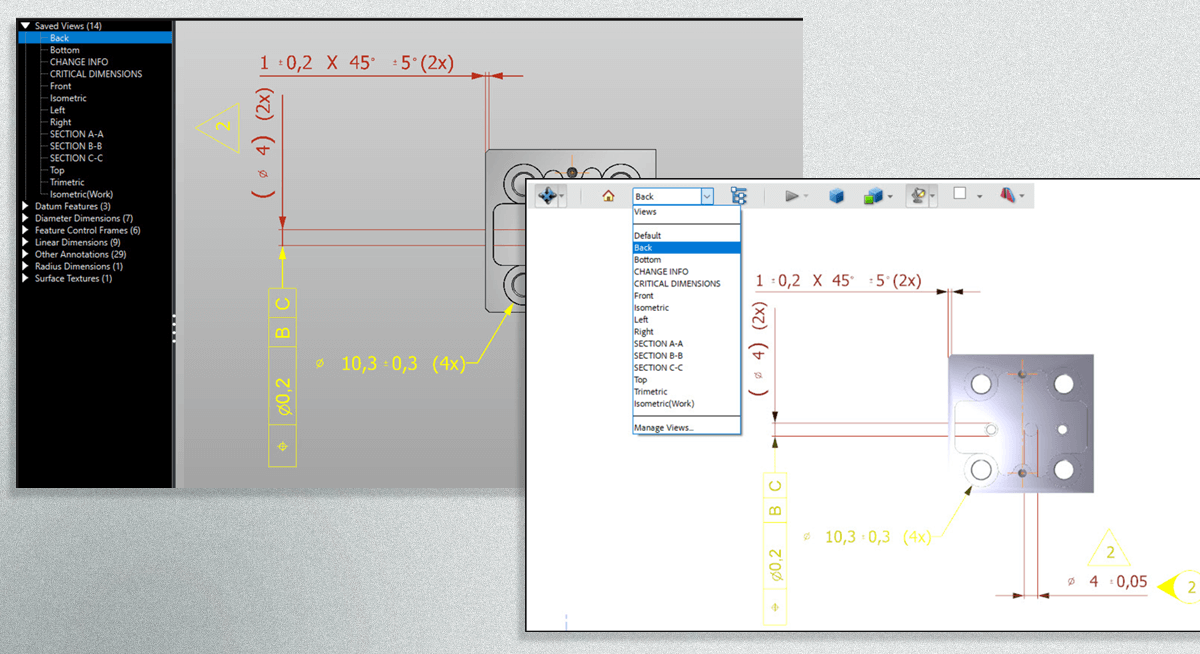
Screen captures showing how saved views from the Kubotek Kosmos MBD File Utility are included when exporting to 3D PDF format
IMPROVED 3D PDF EXPORTS

When exporting to 3D PDF from either View or Convert utilities, user-defined views are now automatically included. This helps ensure clear communication between partners when sharing 3D data. 
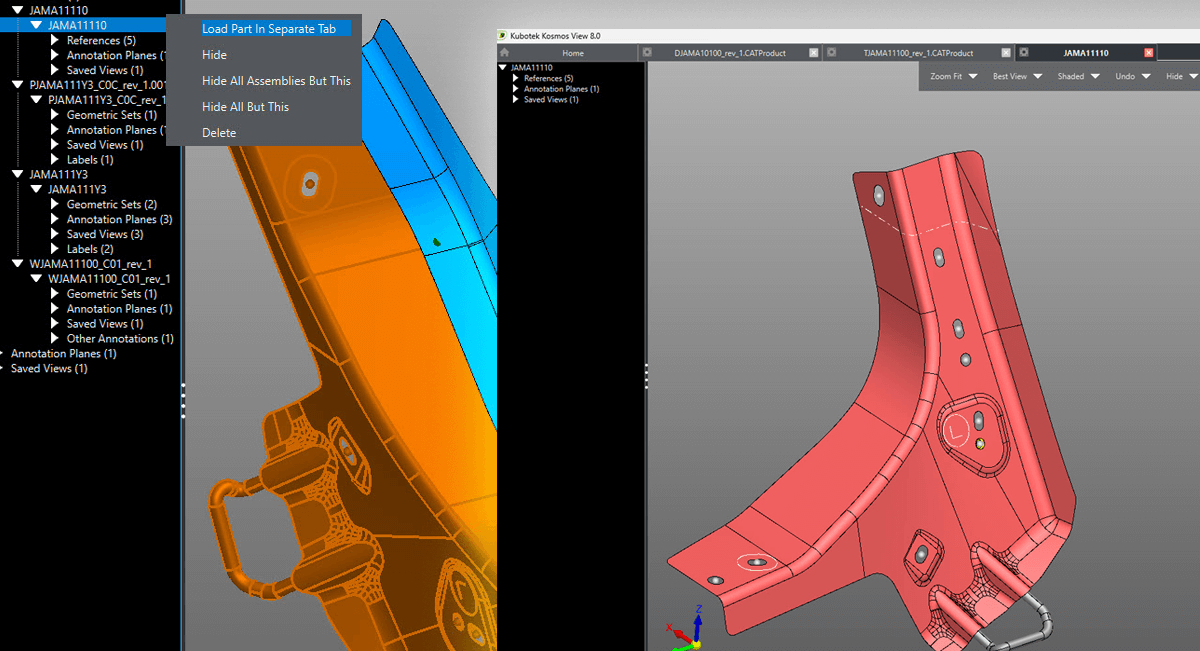
Inset from user interface of Kubotek Kosmos VIEW MBD file utility showing the updated options for viewing assemblies included in the 8.0 software release
ASSEMBLY VISUALIZATION IN THE PART TREE

Assemblies open in a single tab, displaying all referenced parts directly within the part tree for easier navigation. Individual part references can be opened in separate tabs straight from the part tree, enabling focused inspection. This enables faster and more intuitive examination of complex structures.